A waterproof backpack keeps a laptop dry through four independent barriers, and the sleeve is only the last of them. The outer shell and its welded seams stop bulk water, rated IPX4 to IPX7 under IEC 60529; a storm flap over a water-resistant zip stops the 12.5 litres per minute jet used in the IPX5 test; a raised, suspended sleeve keeps the device 20 to 30 millimetres above any water that does collect in the base of the body; and a sealed inner sleeve with a rolled or clipped mouth keeps spray and humidity off the keyboard. Sleeve geometry matters as much as the film: a 15.6 inch laptop measures 359 by 245 by 18 millimetres and needs 10 to 15 millimetres of width clearance, 8 to 12 millimetres of depth clearance and 8 to 12 millimetres of closed-cell padding on the impact faces. Water damage to a business laptop costs 400 to 1,200 USD to repair and 1,500 to 3,500 USD to replace, so the sleeve is the cheapest insurance on the body. Programmes start at 500 pcs per design and colourway, with samples in 6 to 10 working days and bulk in 35 to 50 days.
Where the Water Actually Gets In
Almost no laptop is destroyed by water passing through the middle of a panel. Four entry paths account for nearly all real claims, and each has a different fix. The first is the closure, usually a zip, which is the only moving part on the body and the only place where a barrier has to be interrupted to be useful. The second is the base panel, which is set down in puddles and on wet ground under the full weight of the load. The third is the shoulder strap and back panel seam area, where stitching perforates the shell. The fourth is carried-in moisture, which is not a leak at all.
The zip deserves the closest attention because it is the most common failure and the most often mis-specified. A coil zip with a storm flap is water resistant, not sealed: it holds a shower and fails a sustained jet. An airtight zip of the type used on dry suits is a genuinely sealed closure and costs 8 to 25 USD per body against 1.5 to 4 USD for a coil zip. The mismatch to watch for is a body rated IPX7 closed with a closure rated IPX5, which makes the whole assembly an IPX5 article whatever the hangtag says. Closure types are set out in waterproof zipper types explained.
- The closure is the weak link on roughly two bodies in three, and it is the cheapest component to upgrade, at 6 to 21 USD per unit.
- A base panel set down in 10 millimetres of water carries 20 to 40 kilograms of load pressing it into that water, which is the harshest load case a pack ever sees.
- Carry-in moisture is the most underrated path: a damp rain shell, a wet bottle and a sweaty back pad put 20 to 60 grams of water into a sealed body per day.
- A laptop does not need much water: 0.5 to 2 millilitres reaching a keyboard membrane or a trackpad ribbon is enough to cause intermittent faults that appear days later.
The Four Layers Between Rain and the Keyboard
Thinking in layers makes the specification easy to audit. Layer one is the shell laminate, a TPU or PU film at 0.05 to 0.25 millimetres carrying 3,000 to 20,000 millimetres of hydrostatic head. Layer two is the seam, either welded with no needle holes or stitched and taped, and this layer decides the ceiling for the whole body. Layer three is the closure, with or without a storm flap. Layer four is the sleeve, which is a redundancy rather than a primary defence, and it is what saves the device when layers one to three have been compromised by wear, an open zip or a capsize.
| Layer | Component | Typical figure | What it stops | Cost to upgrade |
|---|---|---|---|---|
| 1. Shell | TPU laminate, 0.05 to 0.25 mm | 3,000 to 20,000 mm head | Bulk water and sustained rain | 1.20 to 3.50 USD |
| 2. Seam | Radio-frequency welded | Zero holes, 1.0 bar and above | Leakage along the joint | 3,000 to 12,000 USD in tooling |
| 3. Closure | Airtight zip, or coil plus storm flap | IPX6 sealed, or IPX3 to IPX4 flapped | Jets, driven rain, spray | 6 to 21 USD per body |
| 4. Sleeve | Sealed sleeve, rolled mouth, padded | IPX4 at minimum, 8 to 12 mm foam | Residual water and carry-in damp | 2.50 to 7.00 USD |
| Redundancy | Suspension, 20 to 30 mm above the base | No contact with the base panel | Water pooling in the bottom | Near zero if designed in |
The last row of that table is the one designers leave out and the one that costs nothing. Suspending the sleeve means the bottom edge of the laptop sits 20 to 30 millimetres above the inside floor of the body, so water that has entered through a worn seam or a badly rolled closure pools below the device instead of wicking into it. It is achieved by anchoring the sleeve 30 millimetres higher than it needs to be and boxing the lower corners, and on a programme it adds nothing to the bill of materials.
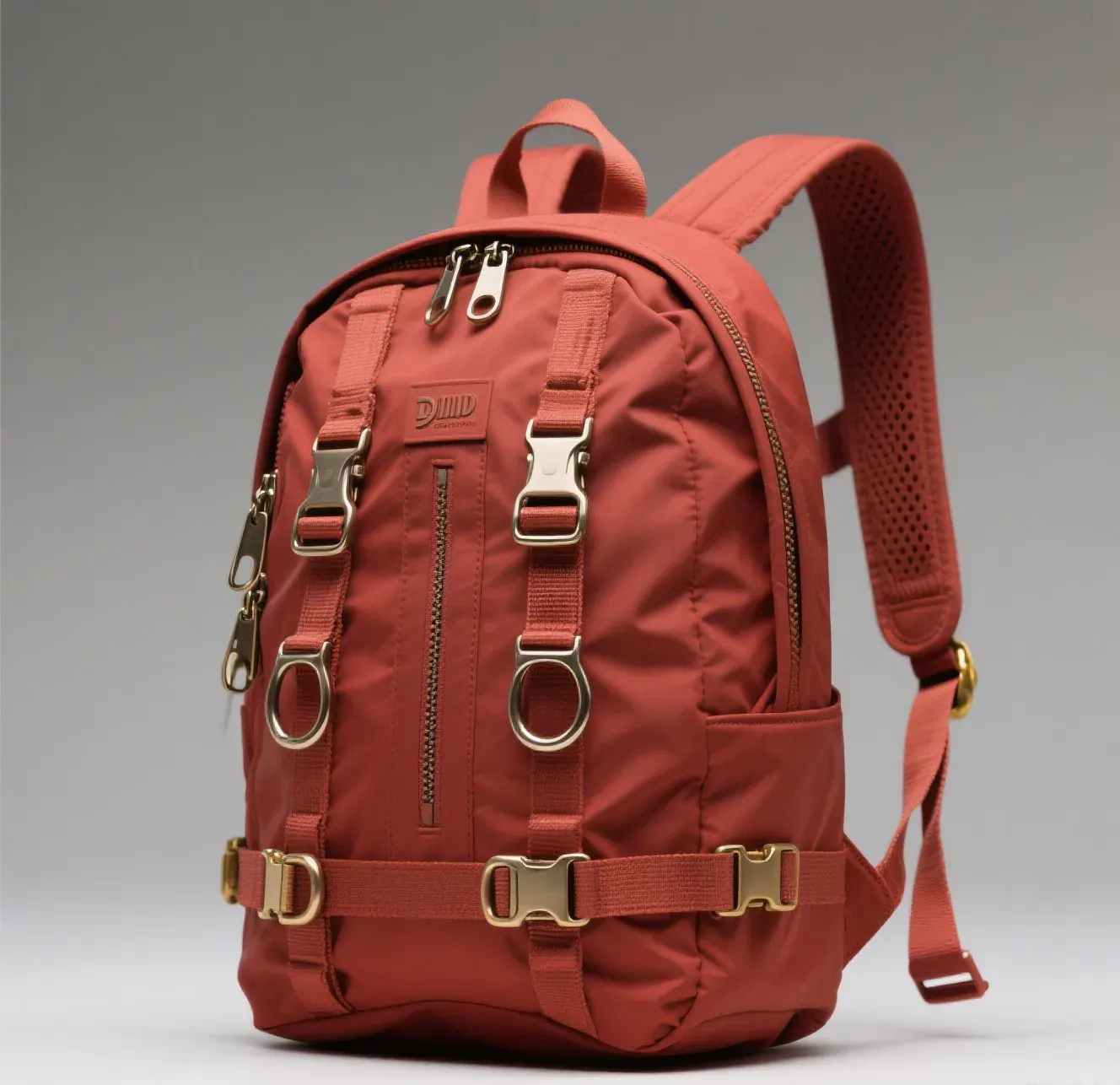
Sleeve Geometry: Clearance, Suspension and Padding
A sleeve that is too tight tears its own seam and a sleeve that is too loose lets the device slide into the corner on impact, so the clearance figures matter and they are tight. Take the largest device the sleeve must accept and add 10 to 15 millimetres to the width, 8 to 12 millimetres to the depth and 3 to 5 millimetres to the thickness, then close the mouth with a roll, a fold or a seal. A 15.6 inch laptop at 359 by 245 by 18 millimetres therefore needs an internal sleeve of about 372 by 258 by 23 millimetres, and a 16 inch device at 356 by 248 by 17 millimetres needs about 370 by 260 by 22 millimetres.
Padding is specified on the impact faces only, since the faces are what hit the ground. Eight to twelve millimetres of closed-cell foam of 45 to 60 kilograms per cubic metre density is the working range, and the corners get a second layer because a corner drop concentrates the load onto roughly four square centimetres. Open-cell foam is a poor choice in a wet environment because it holds water against the device; closed-cell foam absorbs under 2 percent by volume over 24 hours submerged and dries in minutes.
| Device | Device size (mm) | Required sleeve internal (mm) | Padding on impact faces | Typical body volume |
|---|---|---|---|---|
| 13 inch ultrabook | 305 x 210 x 15 | 318 x 222 x 20 | 8 mm closed-cell | 18 to 22 litres |
| 14 inch business laptop | 323 x 220 x 16 | 336 x 232 x 21 | 8 to 10 mm closed-cell | 20 to 26 litres |
| 15.6 inch general laptop | 359 x 245 x 18 | 372 x 258 x 23 | 10 mm plus corner pads | 24 to 32 litres |
| 16 inch workstation | 356 x 248 x 17 | 370 x 260 x 22 | 10 to 12 mm plus corner pads | 26 to 34 litres |
| 17 inch desktop replacement | 410 x 280 x 25 | 424 x 292 x 30 | 12 mm plus corner pads | 32 to 40 litres |
Buyers who carry a 17 inch machine should read the sleeve figure rather than the marketing size, because a body sold as a 17 inch pack often accepts the device diagonally or with the corners un-padded. The dedicated size question is covered in the 17 inch laptop sleeve guide, and the wider range of commuting bodies is collected in the waterproof laptop backpack range.
Ratings That Matter for Electronics
Two numbers predict whether a device survives: the ingress code of the body and the hydrostatic head of the sleeve fabric. The ingress codes are defined by IEC 60529, and for a commuter pack the meaningful steps are IPX4, which is splash from any direction, IPX5, which is a 12.5 litre per minute jet from a 6.3 millimetre nozzle at three metres, and IPX7, which is 30 minutes at one metre of depth. IPX4 is a rain rating and it is not enough for a laptop that costs four figures. IPX5 covers a downpour and a bike commute. IPX7 covers the pack being dropped into water, which is the load case that actually destroys machines.
| Ingress code | Test condition | What it means in use | Enough for a laptop | Typical body |
|---|---|---|---|---|
| IPX3 | Spray at 60 degrees, 10 minutes | Light rain, brief exposure | No | Fashion daypack with a finish |
| IPX4 | Splash from all directions, 10 minutes | A 15 minute walk in steady rain | Marginal | Coil zip with a storm flap |
| IPX5 | 12.5 L per minute jet at 3 metres | Driven rain, fast cycling | Yes for commuting | Flapped zip, welded body |
| IPX6 | 100 L per minute jet, 12.5 mm nozzle | Deck wash, storm conditions | Yes | Sealed zip, welded body |
| IPX7 | 30 minutes at 1 metre | Capsize, dropped in a harbour | Yes, fully | Airtight zip or roll top |
| IPX8 | Continuous immersion beyond 1 metre | Dive support, rafting | Yes, fully | Roll top, professional build |
Rainfall figures put those codes in context, and they explain why IPX4 disappoints commuters. Steady rain runs at 2.5 to 7.5 millimetres per hour, heavy rain at 25 to 50 millimetres per hour, and a tropical downburst can exceed 100 millimetres per hour, which is 1.7 millimetres per minute onto every horizontal surface. Intensity classifications of that kind are published by NOAA, and a 20 minute walk in the upper band puts the equivalent of several IPX4 cycles onto the pack. A commuting body should be bought at IPX5 or better and this matters more than any other single figure on the sheet.
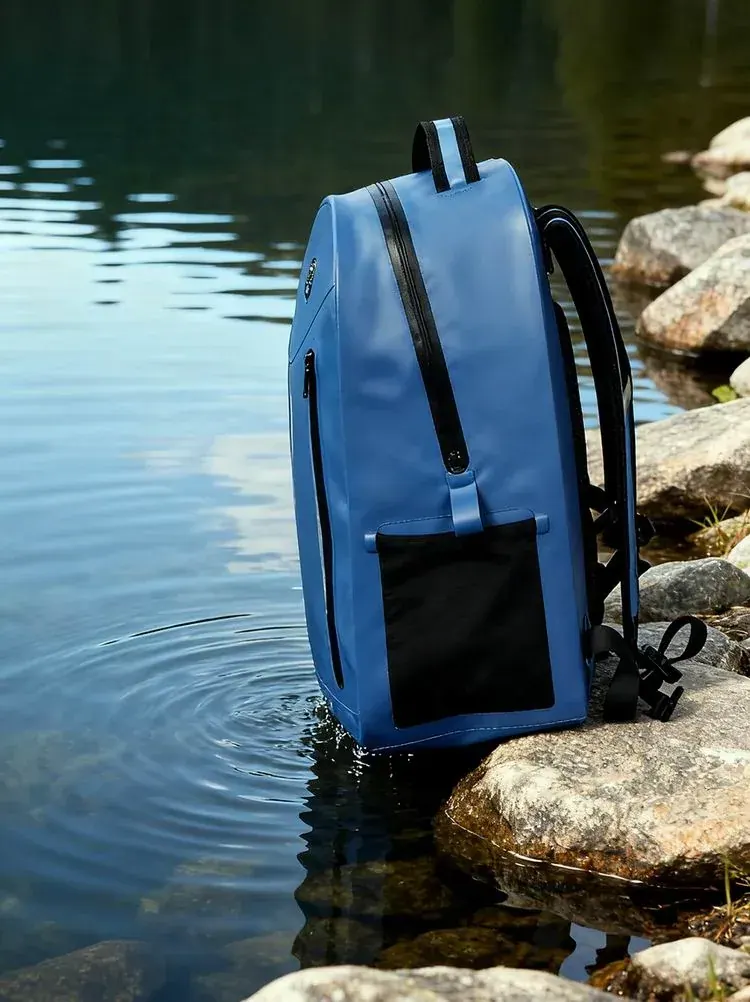
Condensation, Humidity and Heat Inside a Sealed Sleeve
The leak that is not a leak catches out careful owners, because a perfectly sealed body can still deliver a damp device. Water comes in on the contents: a damp rain jacket, a wet bottle, a sweaty back pad, and on a humid day that is 20 to 60 grams of moisture per day inside a sealed volume of 20 to 30 litres. Once a warm device is switched on in a cold pack, surfaces below the dew point collect condensation, and in a 20 litre body at 25 degrees and 85 percent relative humidity the air holds about 4 grams of water, much of which condenses on the coldest surface, usually the aluminium lid.
| Condition | Inside the body | Risk to the device | Mitigation | Target |
|---|---|---|---|---|
| Humid day, damp contents | 80 to 95 percent RH | Condensation on a cold lid | Dry contents before packing | Under 60 percent RH |
| Cold pack, warm device on | Dew point reached in minutes | Moisture under the keyboard | Let the device reach room temperature first | Device above dew point |
| Dark pack in summer sun | 55 to 65 degrees interior | Above the 45 degree storage limit | Light colour, shaded panel, ventilation gap | Under 40 degrees |
| Wet bottle inside the body | 20 to 40 grams free water | Direct contact with the sleeve | External bottle pocket, sealed lid | Zero free water |
| Salt air, coastal commute | Salt film on the closure | Corrosion of ports and zips | Fresh water rinse weekly | Rinse every 5 uses |
Heat is the more serious of the two and the least discussed. Most laptops are specified to operate at 10 to 35 degrees and to be stored between minus 25 and 45 degrees, yet the interior of a dark pack in summer sun routinely reaches 55 to 65 degrees, and a black panel in direct sun at 30 degrees ambient can exceed 70 degrees on the surface. Leaving a machine inside such a body for an hour does more damage than any rain event. The design fix is a light-coloured outer panel and a sleeve placed against the back rather than the outer face.
- Dry the contents before they go in; a damp jacket inside a sealed body is a humidifier running against the device.
- Use the external bottle pocket rather than an internal one, so the free water stays outside the barrier entirely.
- Choose a light-coloured outer panel if the pack will be left in the sun, since it can drop the interior peak by 10 to 15 degrees.
Impact: The Second Failure Mode
Water gets the headlines and impact does the damage. A laptop carried at shoulder height falls about 1.0 to 1.2 metres to the ground if the wearer slips, giving an impact velocity of 4.4 to 4.9 metres per second, and the load arrives at one corner on an area of roughly four square centimetres. Unpadded, the peak acceleration on the device exceeds 150 g, which is enough to crack a solder joint or a screen. Padding works by extending the stopping distance: 8 millimetres of closed-cell foam brings the peak down to about 45 g and 12 millimetres brings it to about 30 g, and a second layer at the corners takes it lower still.
| Padding on the impact face | Stopping distance | Peak acceleration in a 1.0 m drop | Corner protection | Added weight on the sleeve |
|---|---|---|---|---|
| None, liner only | Under 1 mm | 150 g and above | None | Zero |
| 4 mm open-cell foam | 3 to 4 mm | About 90 g | None | 40 to 60 grams |
| 8 mm closed-cell foam | 6 to 8 mm | About 45 g | Single layer | 90 to 130 grams |
| 12 mm closed-cell foam | 9 to 12 mm | About 30 g | Single layer | 140 to 190 grams |
| 10 mm plus corner pads | 10 to 16 mm at the corner | 20 to 30 g at the corner | Doubled at all four corners | 180 to 240 grams |
| Moulded EVA cradle | 12 to 18 mm at the corner | Under 25 g at the corner | Moulded, full perimeter | 220 to 320 grams |
The practical conclusion is that 8 to 12 millimetres of closed-cell foam with doubled corners is the right specification, and beyond that the weight is better spent elsewhere. A moulded EVA cradle performs best at 2.50 to 7.00 USD and 220 to 320 grams. Whatever the padding, the sleeve must be suspended 20 to 30 millimetres above the base so a hard set-down does not drive the device corner into the floor of the body.
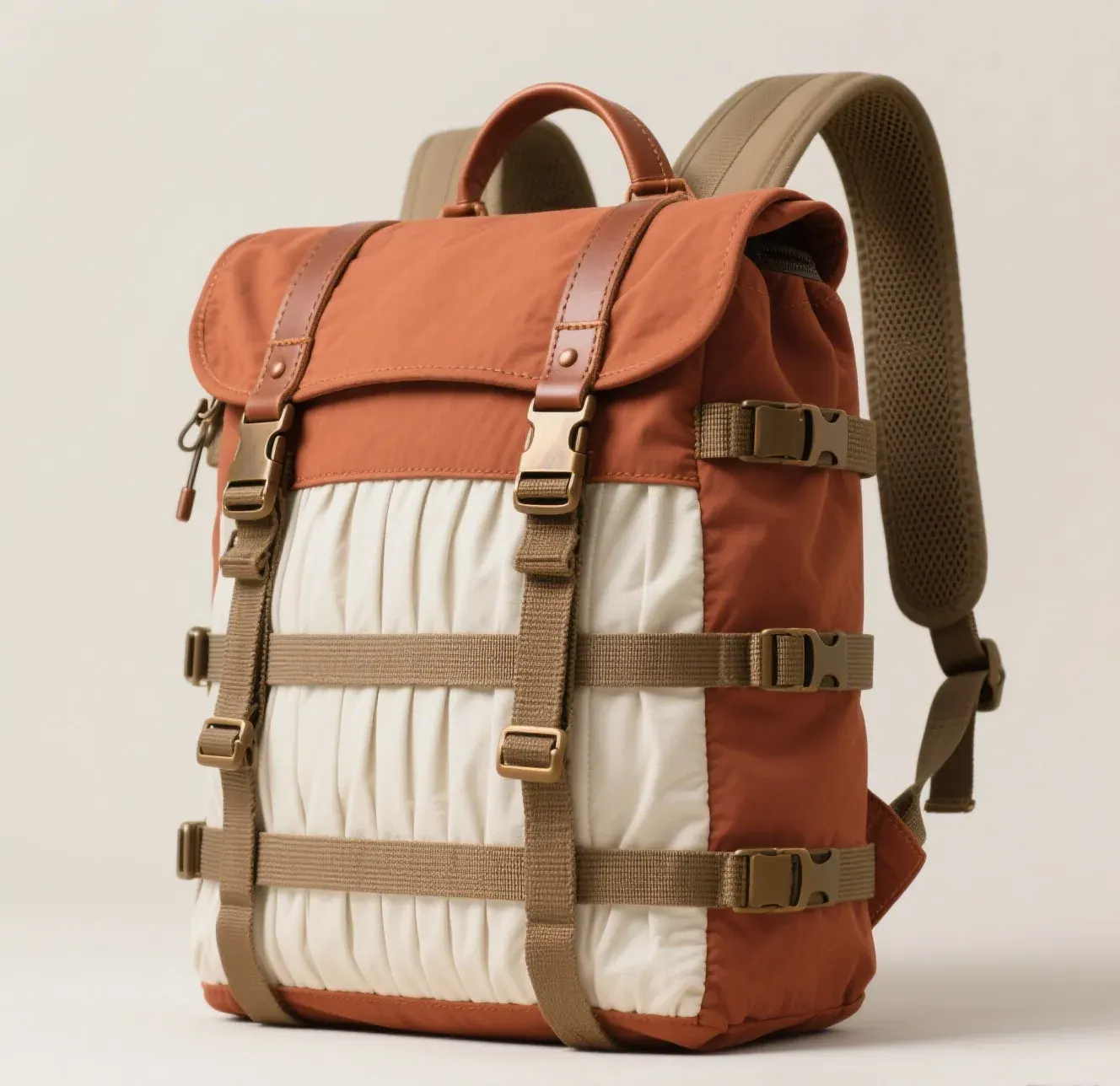
A Buying Checklist for a Laptop Pack
Ten checks take five minutes on a shop floor and they sort a genuine laptop body from a general pack with a sleeve added. Read the sleeve internal dimensions rather than the advertised screen size, look for the suspension gap, look for the seam method, read the closure type, and check where the sleeve sits against the back panel.
| Check | What to look for | Pass figure | Fail signal | Why it matters |
|---|---|---|---|---|
| Sleeve internal size | Printed or measured width and depth | Device plus 10 to 15 mm width | Advertised by screen size only | A tight sleeve tears its own seam |
| Suspension gap | Distance from sleeve base to body floor | 20 to 30 mm | Sleeve resting on the floor | Water pools under the device, not in it |
| Seam method | Turn the body inside out | No thread on the main body | Visible stitch line | Stitched seams set the ceiling low |
| Closure type | Zip type and any storm flap | Airtight zip, or flapped coil | Exposed coil with no flap | The closure is the weak link |
| Ingress code | Stated with a standard | IPX5 or better | Water resistant, no code | IPX4 fails a sustained downpour |
| Padding | Thickness on the impact faces | 8 to 12 mm closed-cell | Liner fabric only | Peak g in a drop falls 3 to 5 times |
| Corner protection | Second layer at four corners | Doubled or moulded | Single flat layer | Drops land on a corner |
| Back panel placement | Sleeve against the back pad | Against the back, off the outer face | Against the outer face | Solar load and impact from behind |
| Bottle pocket | External and drained | External with a drain hole | Internal sleeve pocket | Keeps free water outside the barrier |
| Serviceability | Sleeve removable or wipeable | Wipeable lining | Bonded fabric that holds water | Carry-in moisture has to go somewhere |
Ordering, Testing and Programme Notes
On a programme the sleeve is specified alongside the body rather than added to it, because a sleeve inserted after the body is welded cannot be suspended or sealed to the shell. The brief should name the largest device, the clearance rule, the foam thickness and density, the suspension height and the ingress code of the sleeve itself.
| Programme item | Standard laptop body | Sealed laptop body | Delta | Note |
|---|---|---|---|---|
| Shell and seam | TPU laminate, stitched and taped | TPU laminate, radio-frequency welded | 5 to 25 percent unit cost | Welded holds IPX7, taped holds IPX4 to IPX5 |
| Closure | Coil zip with a storm flap | Airtight zip or roll top | 6 to 21 USD | The closure decides the assembly rating |
| Sleeve | Padded liner, open mouth | Sealed sleeve, rolled mouth, suspended | 2.50 to 7.00 USD | Sealed sleeve is the redundancy layer |
| Padding | 8 mm closed-cell | 10 to 12 mm plus corner pads | 0.80 to 2.20 USD | Drops are the second failure mode |
| Testing | Visual plus spray sample | Pressure decay plus 30 minute immersion | 12 to 18 minutes per sample | AQL 2.5 sampling |
| MOQ and timing | 500 pcs, 35 to 50 days | 500 pcs, 35 to 50 days | None | FOB Xiamen or DDP to 100+ countries |
- Programmes start at 500 pcs per design and colourway, with samples in 6 to 10 working days and bulk in 35 to 50 days.
- Materials are screened against REACH and California Prop 65, and monthly output of 200,000 units is verified by SGS.
- Bodies are pressure tested at 20 kilopascals with a five minute hold and under 10 percent loss, and inspected at AQL 2.5.
- Shipments are FOB Xiamen or DDP to more than 100 countries, and enquiries go to service@junyuanbags.com.
The closing recommendation is to treat the sleeve as redundancy and the body as the defence, and to buy the closure one code above what the commute seems to need. A 20 minute walk in a 50 millimetre per hour downburst is the load case that kills machines, not a capsize. Ask for the sleeve internal dimensions in millimetres, the suspension height, and the ingress code with the standard that produced it. Sleeve construction, closure options and the bodies that carry them are shown. The commuting range is set out in the waterproof commuter backpack collection and the rain-specific selection logic in the rain commute guide.
People Also Ask
How much clearance does a laptop sleeve need?
Add 10 to 15 millimetres to the width, 8 to 12 millimetres to the depth and 3 to 5 millimetres to the thickness of the largest device. A 15.6 inch laptop at 359 by 245 by 18 millimetres therefore needs an internal sleeve of roughly 372 by 258 by 23 millimetres.
Is IPX4 enough to protect a laptop from rain?
Only marginally. IPX4 covers splash from any direction for 10 minutes, which is a steady shower. Heavy rain runs at 25 to 50 millimetres per hour and driven rain on a bike exceeds what IPX4 tests, so a commuting body should be specified at IPX5 or better.
Why does my laptop get damp inside a sealed backpack?
Usually condensation rather than a leak. Damp contents put 20 to 60 grams of water per day into a sealed 20 to 30 litre body, humidity climbs above 80 percent, and moisture condenses on the coldest surface, which is the aluminium lid of the device.
How much padding does a laptop compartment need?
8 to 12 millimetres of closed-cell foam at 45 to 60 kilograms per cubic metre, doubled at the four corners. That cuts peak acceleration in a one metre drop from above 150 g to about 30 to 45 g, and beyond 12 millimetres the weight is better spent elsewhere.
Should the laptop sleeve sit against the back panel or the outer face?
Against the back panel. It keeps the device away from the surface that takes solar load, since a dark pack in summer sun reaches 55 to 65 degrees inside, above the 45 degree storage limit of most laptops, and it puts the padding where a fall from behind is most likely.
Does a waterproof backpack protect a laptop from a drop?
Partly, and only if the sleeve is padded and suspended. Padding of 8 to 12 millimetres and a suspension gap of 20 to 30 millimetres above the body floor are what reduce impact, and they are independent of how waterproof the shell is.
Frequently Asked Questions
Q1. How does a waterproof backpack keep a laptop dry?
Through four layers: a laminated shell carrying 3,000 to 20,000 millimetres of hydrostatic head, welded seams with no needle holes, a sealed or storm-flapped closure, and a padded sleeve suspended 20 to 30 millimetres above the body floor.
Q2. What ingress code do I need for a laptop commute?
IPX5 or better. IPX4 covers splash for 10 minutes, IPX5 withstands a 12.5 litre per minute jet, and IPX7 survives 30 minutes at one metre. Since heavy rain runs at 25 to 50 millimetres per hour, IPX4 is marginal for a walk of more than a few minutes.
Q3. Why is the zip the weakest point on a waterproof laptop backpack?
Because it is the only moving part and the only place the barrier has to be interrupted. A coil zip with a flap holds about IPX4, an airtight zip holds IPX6, and the assembly can never be rated above its closure, whatever the shell achieves.
Q4. How far above the base should a laptop sleeve sit?
20 to 30 millimetres. The suspension gap means water that enters through a worn seam or a badly closed mouth pools below the device instead of wicking into it, and it also stops the device corner being driven into the floor of the body on a hard set-down.
Q5. What size sleeve do I need for a 15.6 inch laptop?
About 372 by 258 by 23 millimetres internally, from a device of 359 by 245 by 18 millimetres plus 13 millimetres of width, 13 of depth and 5 of thickness clearance. A 17 inch device at 410 by 280 by 25 millimetres needs about 424 by 292 by 30 millimetres.
Q6. Can condensation damage a laptop inside a waterproof pack?
Yes. Damp contents put 20 to 60 grams of water per day into a sealed body, relative humidity climbs above 80 percent, and once a warm device is switched on in a cold pack, moisture condenses on the aluminium lid. Dry the contents before packing and let the device reach room temperature before switching it on.
Q7. How hot does the inside of a black backpack get in summer?
55 to 65 degrees in the interior, and above 70 degrees on a black panel in direct sun at 30 degrees ambient. Most laptops are specified for storage up to 45 degrees, so a machine left in a dark pack in the sun is at more risk than one caught in rain.
Q8. How much water does it take to damage a laptop?
0.5 to 2 millilitres reaching a keyboard membrane or a trackpad ribbon is enough to cause intermittent faults, and corrosion then continues under power over days. Repair runs 400 to 1,200 USD, replacement 1,500 to 3,500 USD, and data recovery 500 to 2,000 USD.
Q9. Is a removable laptop sleeve better than a built-in one?
A built-in sealed sleeve is better for water, because it can be sealed to the shell and suspended off the floor. A removable sleeve is better for cleaning, since carry-in moisture has to go somewhere.
Q10. Should I put a wet water bottle inside the main compartment?
No. A wet bottle carries 20 to 40 grams of free water into the sealed volume. Use a drained external pocket, and check that the pocket has a drain hole so it does not become a small reservoir against the shell.
Q11. What is the MOQ and lead time for a waterproof laptop backpack?
500 pcs per design and colourway, with samples in 6 to 10 working days and bulk in 35 to 50 days. Bodies are pressure tested at 20 kilopascals with a five minute hold and inspected at AQL 2.5, and shipments are FOB Xiamen or DDP to more than 100 countries.